Find Dwell Locations
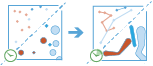
This tool works with a time-enabled layer of
point features that are instant in time. It first
determines which features belong to a track using an identifier. Using the time at each location, the tracks are ordered sequentially and the tool searches these paths of movement over time. Depending on the output type chosen, the resulting features can be time-enabled points (instant time type) or areas (interval time type) that represent locations where tracked objects travelled less than the specified distance within the specified duration of time. When the dwells are discovered, statistics about the included features are calculated and assigned to the output track. The
most basic statistic is the count of points within
the dwell location, but other statistics can be calculated as well.
Features in time-enabled layers can be represented in one of two ways:
- Instant—A single moment in time
- Interval—A start and end time
For example, suppose you work for the Department of Transportation and have collected GPS readings for major highways. Each GPS record contains a unique vehicle ID, the time, location, and speed. Using the unique vehicle ID to define individual tracks, search for vehicles that have not moved more than 100 meters in at least 15 minutes to uncover troublesome areas in the road network. Additionally, you could calculate statistics such as the mean speed of the vehicles within the dwell location.
ADD HERE
Choose the layer to find dwells from
The point layer that will be summarized into dwells. The input layer must be time-enabled with features that represent an instant in time, as well as have one or more fields that can be used to identify tracks.
בנוסף לבחירת שכבה מהמפה שלך, באפשרותך לבחור באפשרות בחר שכבת ניתוח בתחתית הרשימה הנפתחת כדי לדפדף לתכנים שלך עבור סט נתוני שיתוף קובץ Big Data או שכבת ישויות. באפשרותך אופציונלית להחיל מסנן על שכבת הקלט או להחיל בחירה על שכבות מתארחות שנוספו למפה שלך. מסננים ובחירות מוחלים רק עבור ניתוח.
Select one or more fields to identify tracks
Fields that represent the track identifier. You can use one field or multiple fields to represent unique values of tracks.
As an example, if you were finding idle locations for hurricanes, you could use the hurricane name as the track field.
Choose the method to calculate distance
Method used to calculate the dwell distance within tracks. The Planar method may calculate the results more quickly but will not wrap tracks around the international dateline or account for the actual shape of the earth when buffering. The Geodesic method will wrap tracks around the date line if required and apply a geodesic buffer to account for the shape of the earth.
Define the spatial search distance
The dwell distance tolerance is the maximum distance between points to be considered in a single dwell location.
For example, if you are finding dwells where traffic has not moved more than 20 meters within a certain time, the distance tolerance would be 20 meters.
Use the parameter Define the temporal search range to specify the time.
Split tracks (optional)
The unit of the distance tolerance.
Define the temporal search range
The dwell time tolerance is the minimum time duration of a dwell to be considered in a single dwell location.
For example, if you want to know where traffic hasn't moved a certain distance within an hour, the time tolerance would be 1 hour.
Use the parameter Define the spatial search range to specify the distance.
Select a distance to split tracks by (optional)
The unit of the time tolerance.
Add statistics (optional)
באפשרותך לחשב נתונים סטטיסטיים בישויות שסוכמו. באפשרותך לחשב את הערכים הבאים בשדות מספריים:
- ספירה - מחשב את מספר הערכים שאינם null. ניתן להשתמש בחישוב זה על שדות מספריים או מחרוזות. הספירה של [null, 0, 2] היא 2.
- סכימה - הסכימה של ערכים מספריים בשדה. הסכימה של [null, null, 3] היא 3.
- ממוצע - הממוצע של ערכים מספריים. הממוצע של [0, 2, null] הוא 1.
- מינימום - ערך המינימום של שדה מספרי. המינימום של [0, 2, null] הוא 0.
- מקסימום - ערך המקסימום של שדה מספרי. המקסימום של [0, 2, null] הוא 2.
- טווח - הטווח של שדה מספרי. ערך זה מחושב על ידי חיסור ערכי המינימום מערך המקסימום. הטווח של [0, null, 1] הוא 1. הטווח של [null, 4] הוא 0.
- שונות - השונות של שדה מספרי במסלול. השונות של [1] היא null. השונות של [null, 1,0,1,1] היא 0.25.
- סטיית תקן - סטיית התקן של של שדה מספרי. סטיית התקן של [1] היא null. סטיית התקן של [null, 1,0,1,1] היא 0.5.
באפשרותך לחשב את הערכים הבאים בשדות מחרוזות:
- ספירה - מחשב את מספר המחרוזות שאינן null.
- כלשהו - נתון סטטיסטי זה הוא דגימה אקראית של ערך מחרוזת בשדה שצוין.
Output dwell locations as
Determines which features are returned and the format. Four types are available:
- Mean Centers—A point representing the centroid of each discovered dwell location. Attributes will be summarized. This is the default.
- Convex Hulls—Polygons representing the convex hull of each dwell group. Attributes will be summarized.
- Dwell Features—All of the input point features and attributes determined to belong to a dwell are returned.
- All Features—All of the input point features and attributes are returned.
Choose an ArcGIS Data Store to save results to
תוצאות GeoAnalytics מאוחסנות במאגר נתונים ונחשפות כשכבת ישויות ב- Portal for ArcGIS. במרבית המקרים, יש לאחסן את התוצאות במאגר נתונים מרחבי-זמני, וזוהי ברירת המחדל. במקרים מסוימים, שמירת התוצאות במאגר נתונים יחסי היא אפשרות טובה. להלן הסיבות שבגינן ייתכן שתרצה לאחסן תוצאות במאגר נתונים יחסי:
- תוכל להשתמש בתוצאות בשיתוף פעולה של פורטל-לפורטל.
- תוכל לאפשר יכולות סנכרון עם התוצאות שלך.
אין להשתמש במאגר נתונים יחסיים אם אתה צופה שתוצאות GeoAnalytics יגדלו וברצונך לנצל את יכולות מאגר הנתונים המרחבי-זמני של Big Data כדי לטפל בכמויות גדולות של נתונים.
Result layer name
השם של השכבה שתיווצר. אם אתה כותב ל- ArcGIS Data Store, התוצאות שלך יישמרו ב-התוכן שלי ויתווספו למפה. אם אתה כותב לקובץ שיתוף Big Data, התוצאות שלך יאוחסנו בקובץ השיתוף של Big Data ויתווספו למניפסט שלו. הם לא יתווספו למפה. שם ברירת המחדל מבוסס על שם הכלי ושם שכבת הקלט. אם השכבה כבר קיימת, הכלי ייכשל.
בעת כתיב ל- ArcGIS Data Store (מאגר נתונים יחסים או מרחבי-זמני של Big Data) בעזרת התיבה הנפתחת שמור תוצאה ב, באפשרותך לציין את שם התיקייה ב- התוכן שלי שבה התוצאה תישמר.